PrivaClean Phone Cleaner: Privacy-focused storage and media cleanup
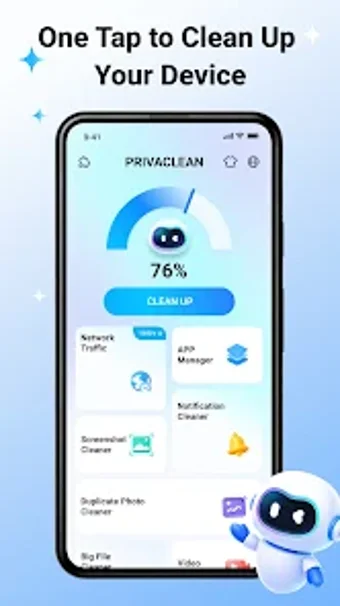
Experience PrivaClean Phone Cleaner by Ahmed Abou Zamil, an Android utility that reclaims device storage and simplifies file management. It scans locally to find temporary files, cached data, large items, duplicate photos and videos, and provides an App Manager for uninstalling or inspecting installed applications. Key tools include Junk Cleaner, Photo & Video Cleaner, Large File Finder and App Manager, all processing data on-device to protect privacy. For Android users who want a privacy-first, straightforward way to free storage and organize media without cloud uploads.
How PrivaClean reclaims space and tidies media
The app scans locally to locate temporary files, cached data, large items, duplicate photos and videos, and presents matches for review. Its core modules are Junk Cleaner, Photo & Video Cleaner, Large File Finder and an App Manager. Users can preview duplicates before deletion, inspect large files, and uninstall apps directly from the interface. A concise list of tools follows:
- Junk Cleaner for temporary and cache removal
- Duplicate media detection and preview
- App storage inspection and uninstall
Does PrivaClean affect device responsiveness during cleaning
The developer emphasizes speed and a lightweight package, and the app performs analysis locally on Android devices, which keeps file contents off external servers. Because processing is on-device, background operations do not require network access, reducing data transfer overhead. System requirements vary by device, and the tool's architecture focuses on quick scans and deletions rather than large-scale backup or cloud synchronization tasks.
Is PrivaClean safe and approachable for everyday users
PrivaClean uses local-only file analysis and explicitly does not upload personal photos, videos, or documents, addressing privacy concerns common to cleanup utilities. The built-in App Manager shows per-app storage and data consumption so users can make informed uninstall choices. The interface is simple for quick navigation, making the app suitable for people who prefer a low-configuration cleaning workflow over advanced automation.
Suitable for privacy-minded local cleanup, with limited cloud features
PrivaClean is a practical option for Android users who prioritize on-device storage maintenance; the developer's background in lightweight utilities and the app's positive reception on the Play Store support its reliability. The primary trade-off is lack of cloud or remote syncing, so users needing cross-device media backup should expect limited capability. The app performs dependably for everyday local cleanup and basic app management.